

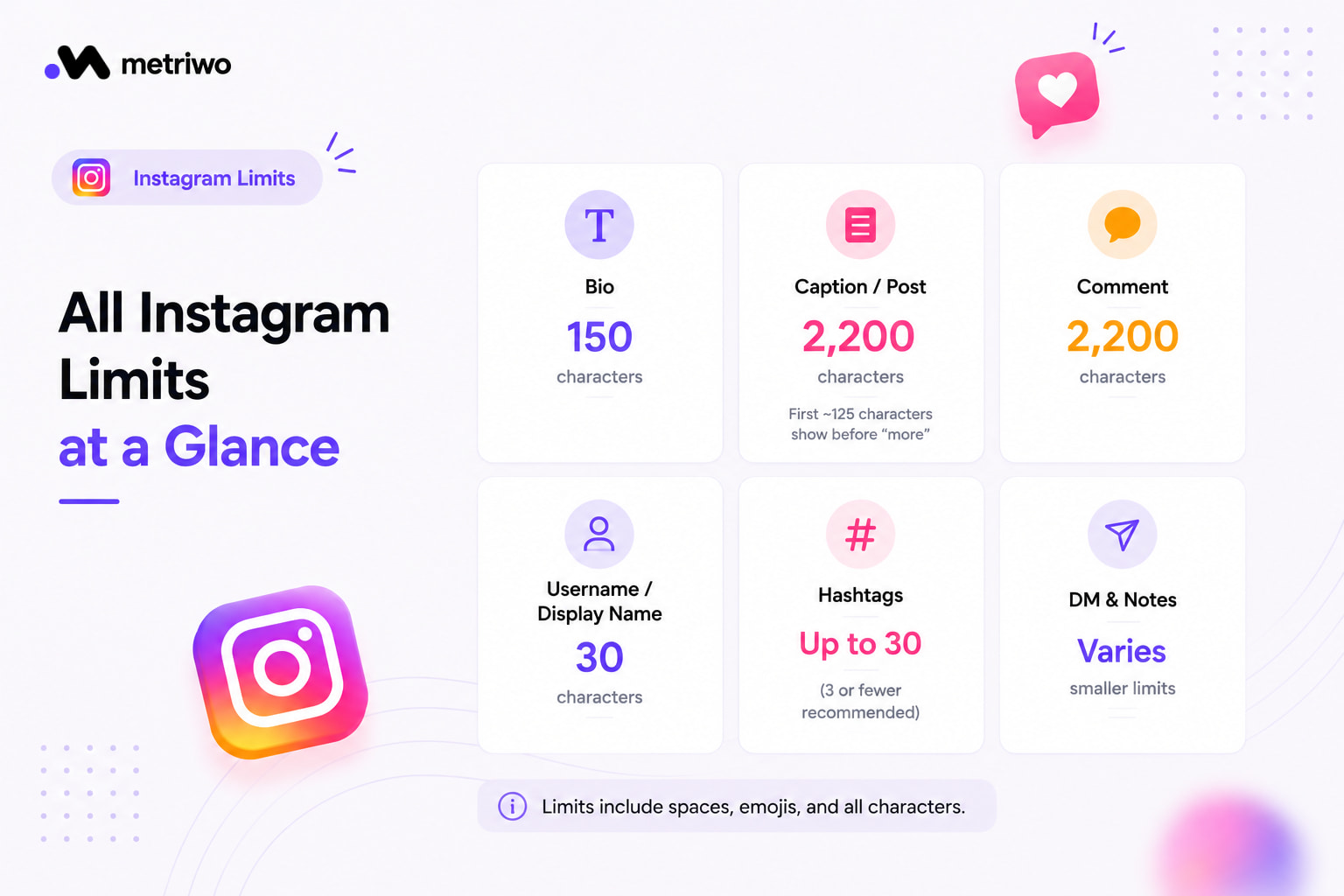
An Instagram bio gives you 150 characters, full stop. That’s the number most people are searching for, and it’s tight enough that every word in your bio has to earn its place. Captions are far more forgiving, Instagram allows up to 2,200 characters per post, though only the first roughly 125 characters show before people have to tap “more.” There’s no separate Instagram word limit as such, it all comes down to these character counts, so a short punchy word counts the same as a long one.
I manage several accounts day to day, and honestly, the character limit rarely feels like the real constraint. The real skill is deciding what deserves those characters in the first place.
Instagram Bio Character Limit Explained
With only 150 characters, a bio works best when it follows a simple structure: who you are, what value you offer, and a clear next step. Something like a role, a one line value statement, and a link or call to action tends to outperform a bio crammed with adjectives and emojis. Line breaks help a lot here too, since a wall of 150 characters is much harder to read than three short spaced lines. If you haven’t set that up yet, our guide on adding line breaks to your Instagram bio covers that in detail.
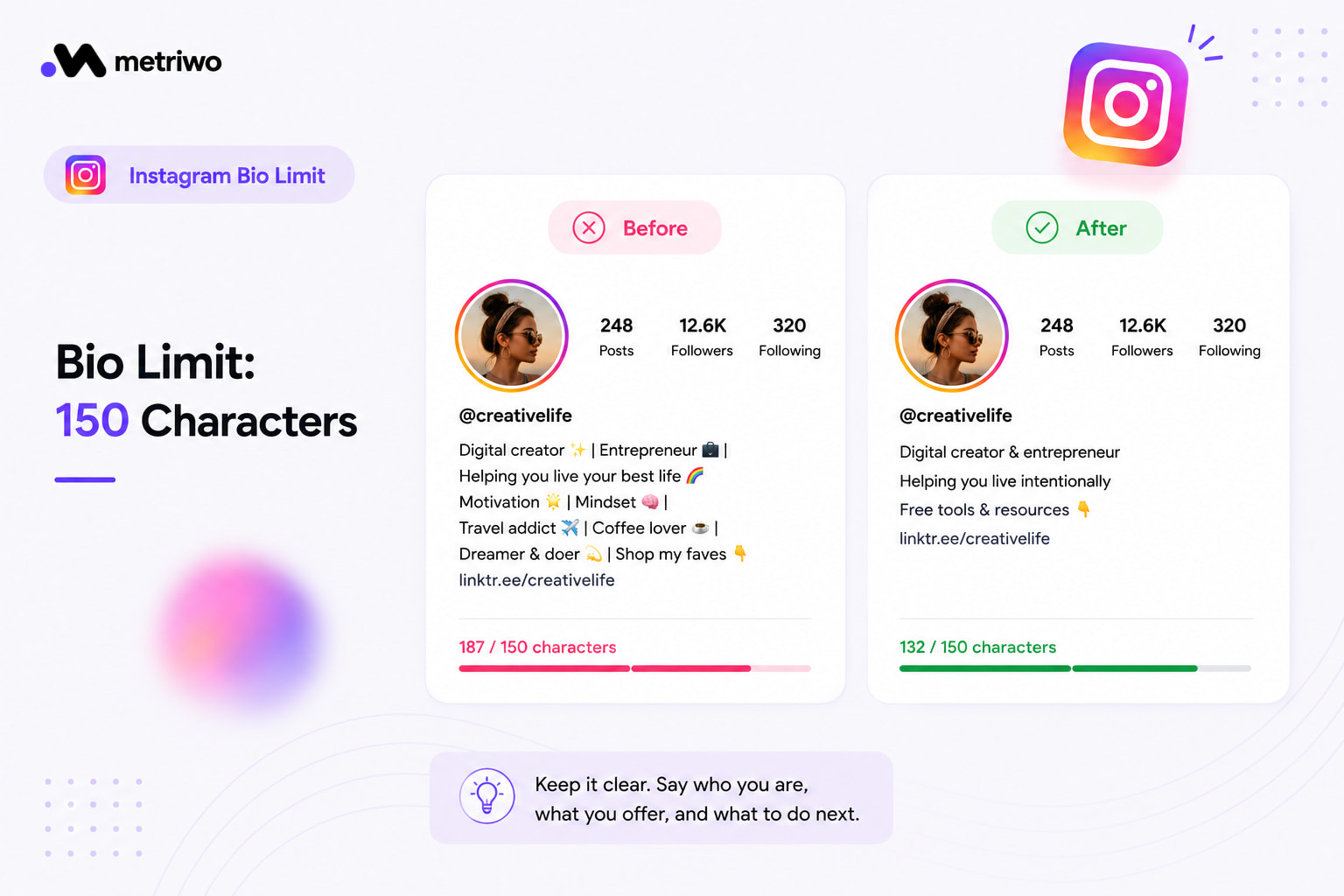
Beyond the technical limit, it’s worth spending real time on what the bio actually says. Our guide on writing an Instagram bio goes into that side of things, since fitting inside the Instagram bio character limit is only half the job.
Instagram Caption Character Limit and Post Limit
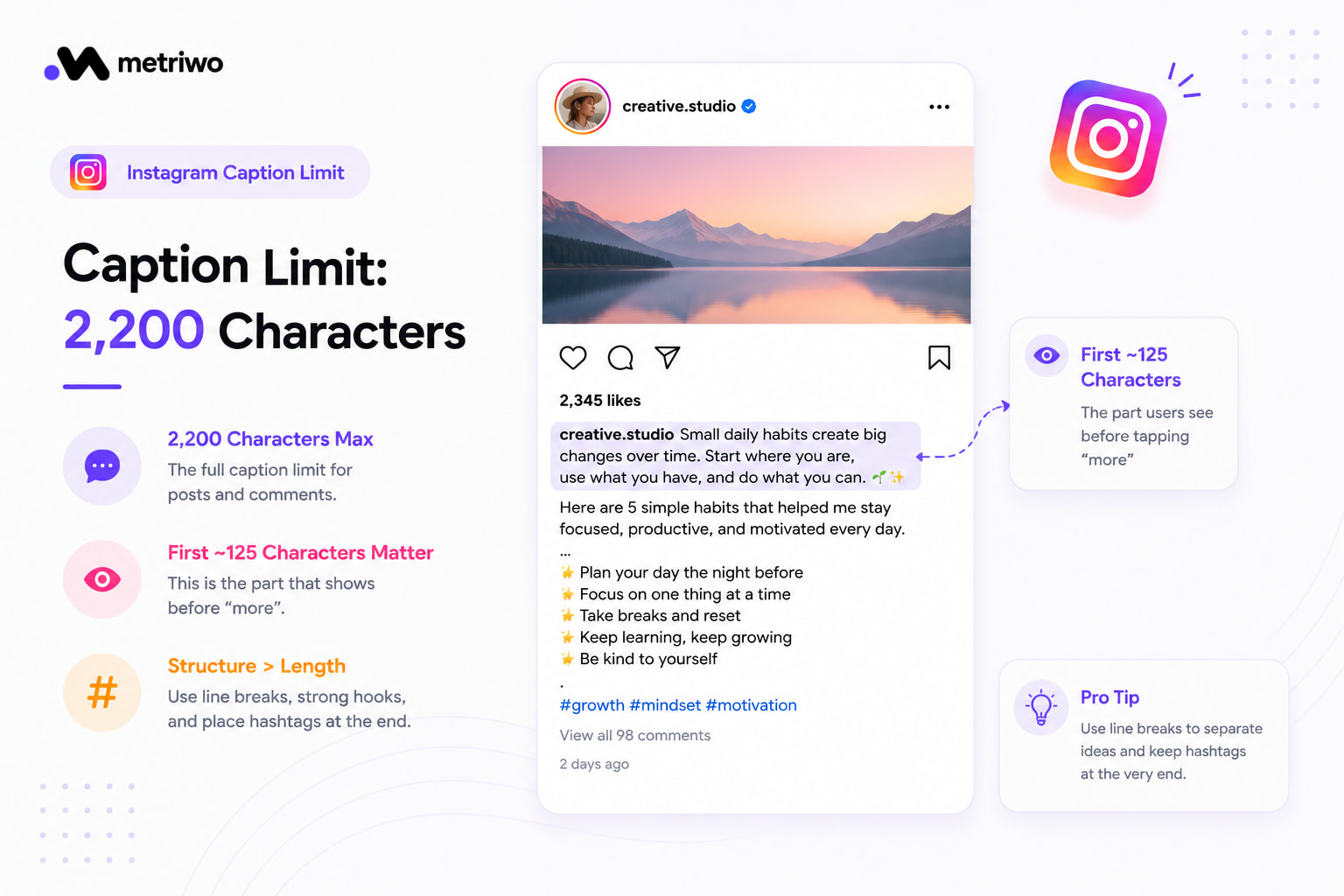
The Instagram caption character limit sits at 2,200 characters, which sounds generous but the part that actually matters is the first 125 characters or so, since that’s what shows before someone has to tap to expand. Whatever your hook is, it needs to land in that window. After that, structure helps more than length: line breaks between ideas, and hashtags pushed to the very end rather than mixed into the sentence.
If you’re planning captions ahead of time, it’s worth checking how they’ll actually render before you hit publish. Metriwo’s post scheduler lets you preview length and formatting exactly as it’ll appear, so you’re not guessing where the cutoff lands.
Other Instagram Character Limits Worth Knowing
Comments follow the same 2,200 character caption limit.
Usernames and display names are capped at 30 characters.
Instagram technically allows up to 30 hashtags, though sticking to around 3 relevant ones usually performs better than a wall of tags.
DMs and Notes have their own separate, much smaller limits, worth checking if you’re using those features heavily.
|
Field |
Character Limit |
|
Bio |
150 |
|
Caption / Post |
2,200 |
| Comment |
2,200 |
| Username / Display Name |
30 |
| Hashtags |
Up to 30 (3 recommended) |
Getting the Most Out of These Limits
Front load the important part of your message, whether that’s the first line of a bio or the first sentence of a caption, since that’s the part people actually see without tapping anything. Beyond that, the limits themselves matter less than what you do inside them. Metriwo’s analytics tool shows whether shorter, punchier captions are actually outperforming longer ones for your specific audience, which varies more than people expect from account to account. It’s also worth looking at how accounts in your niche structure their bios and captions inside these same limits, Metriwo’s competitor tracking makes that comparison easy across several accounts at once instead of screenshotting one at a time.

Quick Recap
150 characters for your bio, 2,200 for captions and comments, 30 for usernames. The limits aren’t going anywhere, so the real edge comes from how well you use the space you’ve got, and from actually tracking what works for your audience. Try Metriwo free to see how your current bio and captions are performing, and to schedule posts that fit perfectly within these limits.