
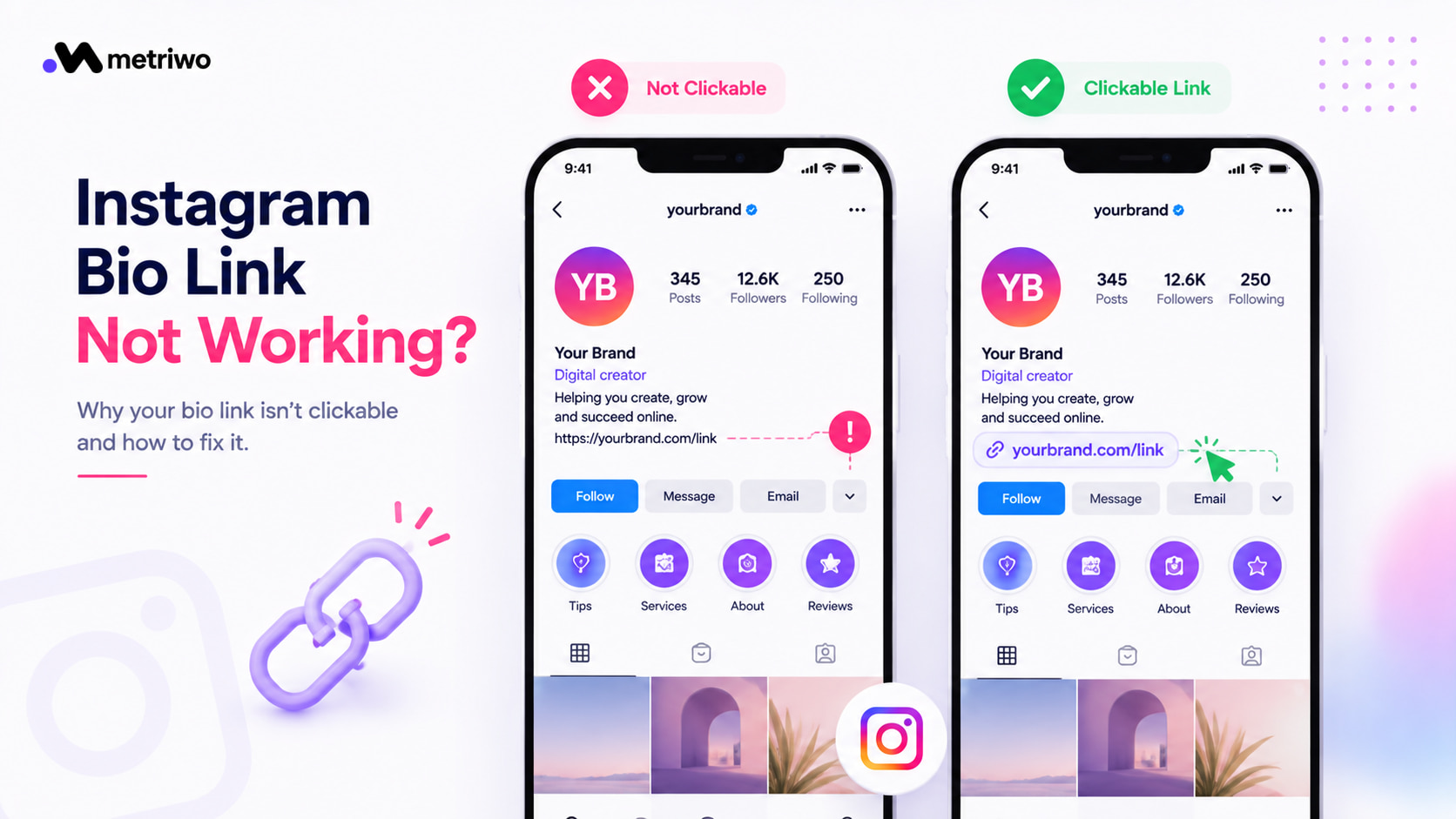
Bio Link Not Clickable? Here’s What’s Actually Going Wrong
If your Instagram bio link is not working or not clickable, you’re not alone, and if you manage more than one account you’ve probably seen this happen more than once. It usually comes down to one of four things: wrong placement, an app glitch, an account setting, or a policy flag. Most of the time you can fix it in under five minutes once you know where to look.
1. Check the Link Placement First (This Fixes It Most of the Time)
The single most common cause I see, even with clients who’ve been on Instagram for years, is a URL sitting in the bio text itself instead of the dedicated Website field. Plain text in a bio is never clickable, no matter how it’s formatted.
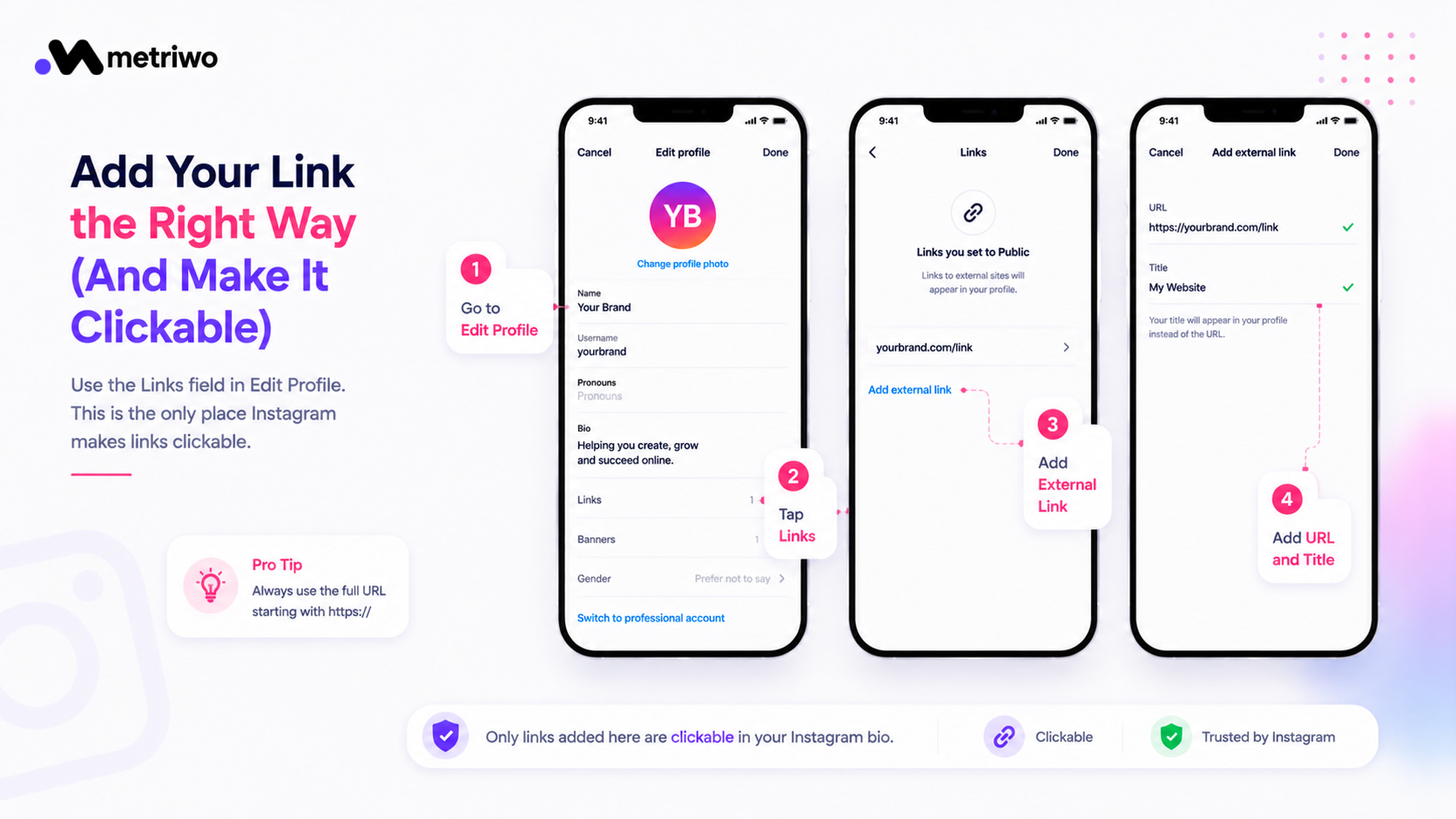
Go to Edit Profile, tap Links, then Add External Link, and paste the URL there with a short title. Always use the full address starting with https, leaving that off is a quiet way links stop resolving even though everything looks fine on your end.
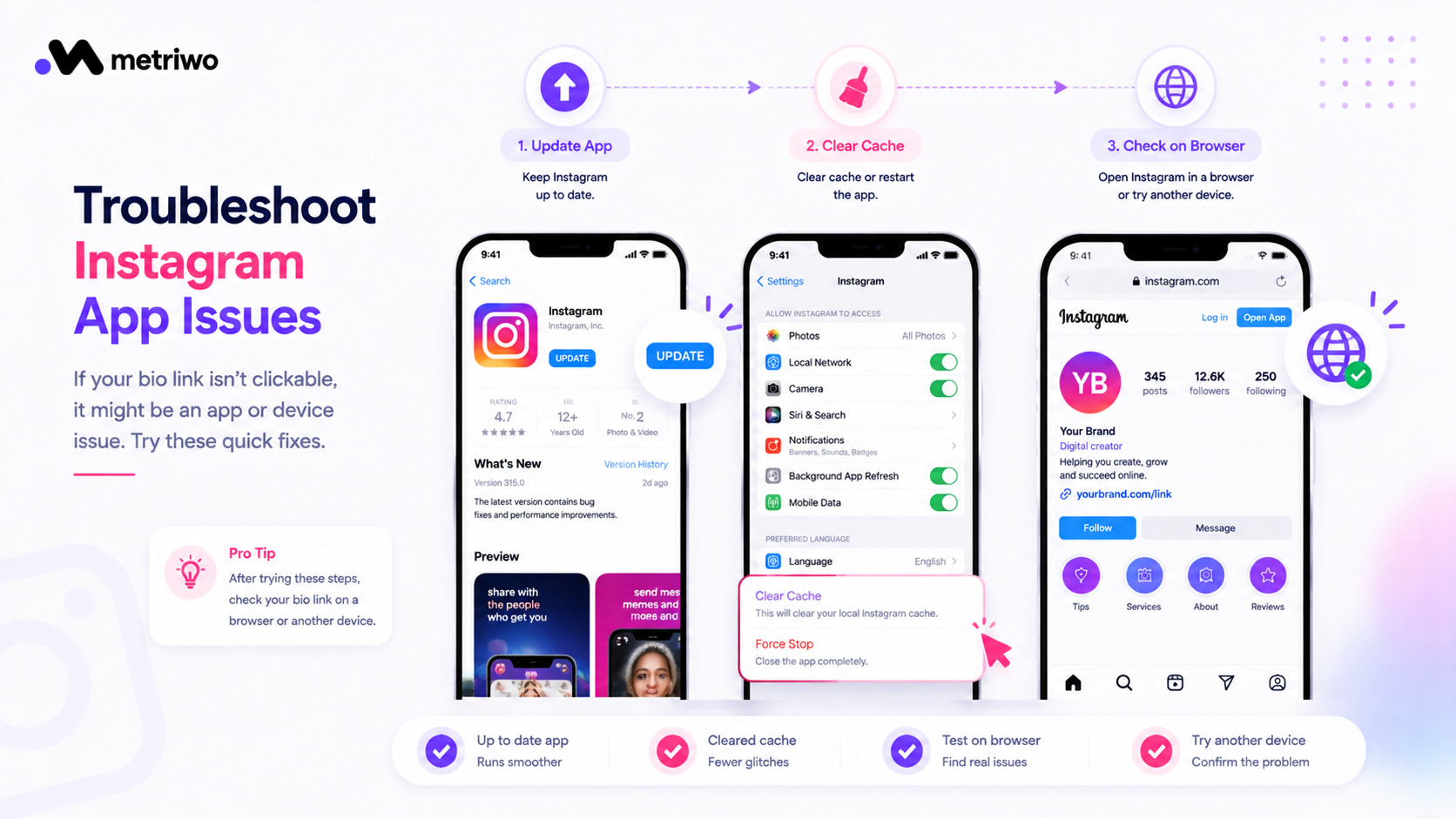
2. Rule Out an App or Device Issue
If the link is already in the right field and still isn’t clickable, it’s often just Instagram acting up rather than anything you did wrong.
Update the app to the latest version. Force close it, or clear the cache if you’re on Android. Open instagram.com in a browser or check from another device, this tells you if the issue is the app or the account itself. Switch your account type from Personal to Professional and back, this often forces the link field to refresh.
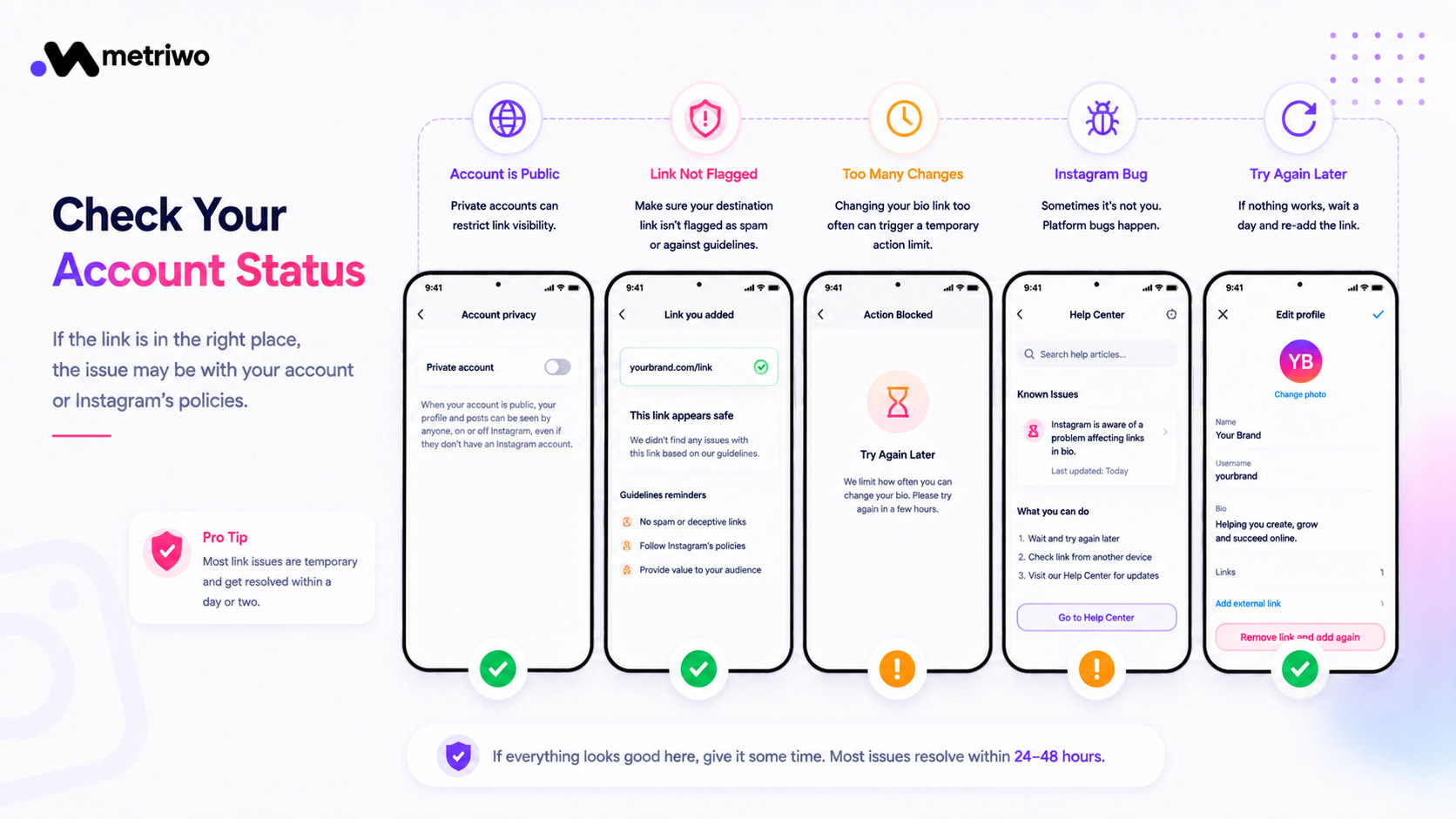
3. Look at Your Account Status
Once placement and app issues are ruled out, the account itself is usually where the problem lives.
Confirm your account is set to Public, private accounts can restrict link visibility in ways that aren’t always obvious. Check whether the destination link has been flagged for anything Instagram considers spammy or against its guidelines. Changing your bio link too many times in a short window can trigger a temporary limit. Sometimes it really is just a platform bug, and it clears up within a day or two on its own.
4. If You’re Managing More Than One Link
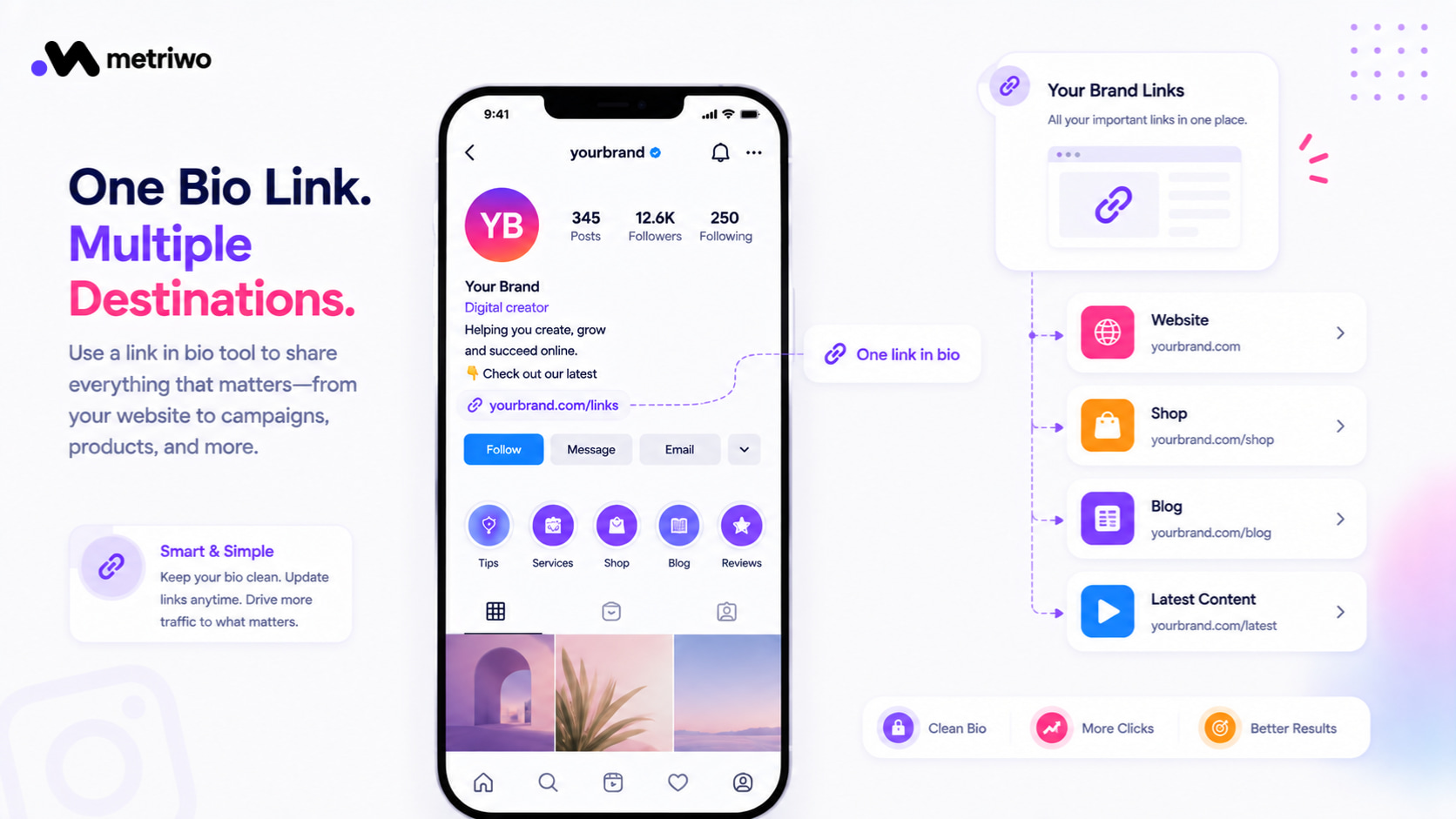
A single raw URL only gets you so far, especially if you’re running campaigns or driving traffic to more than one destination at once. This is where a link in bio tool like Linktree earns its place, or where it makes sense to fold link management into your regular scheduling and posting workflow instead of treating it as a separate task.
Once the link is actually working, the more useful question for a marketer is whether it’s performing. Metriwo’s Instagram analytics tracks click and traffic data from your bio link over time, so you’re not just confirming it works, you’re seeing whether it’s worth the placement at all.
Preventing This Going Forward
Stick to one primary link, or a link in bio service if your strategy needs several destinations. Check the link yourself periodically rather than assuming it still works because it did last month. Pair a working link with bio copy that actually earns the click, our guide on writing an Instagram bio covers that part. Keep an eye on click performance, not just whether the link technically functions.
Quick Recap
Placement is the fix that solves this most often, the URL belongs in the Website field, not the bio text. After that, check for an app glitch or an account setting before assuming something is broken. Treat your bio link the same way you’d treat any other part of your social media management strategy, worth testing, worth tracking, and worth adjusting based on what the data actually shows. Try Metriwo free to see how your bio link is performing and manage it alongside the rest of your Instagram strategy.